Production Update 1.3.3 - The partners page and submissions
Summary
The public partners page is a new layout for a shop, an agent, and a super agent. An application lands in Admin under Partner submissions. Staff there set a status and leave a comment. The comment stays inside Admin.
Added
- Admin → Partner submissions lists applications from the public partners page. The sidebar badge counts how many are still Interested. Open one to read it, set a status, and leave a comment. A comment is visible to Admin staff. The applicant does not see it.Module: Partner submissions · Portal: Admin
Changed
- vaultplay.co/partners and partners.vaultplay.co are a new page, in English. It explains Shop, Agent, and Super Agent, shows a sample overview and a sample of the games, and takes an application. Light and Dark sit at the bottom left.Module: Partners · Portal: Player
- The application asks for a partnership type (Shop, Agent, or Super Agent), full name, work email, phone, and city. Company name, number of locations, and a note are optional. Phone is required. After it sends, the visitor sees a thank-you. The application appears under Partner submissions.Module: Partners · Portal: Player, Admin
- Help, for a shop owner who asks how to offer Vault Play, points to the partners page: the partner models, how the network works, and the form.Module: Help · Portal: Player
Required Actions
- Watch Partner submissions. The red badge is the number still Interested. Follow up with the applicant by email or Telegram. A comment on the submission stays inside Admin.Portal: Admin
- Tell a visitor that the partners page covers Shop, Agent, and Super Agent, and that a partner manager replies within one business day.Portal: Player
Affected Modules
- Partners
- Partner submissions
- Help
Affected Portals
- Player Portal
- Admin Portal
This release replaces the public partners page and gives Admin a list of the applications it receives.
Sign-in, balances, deposits, and cash out work the same way.
Who: a visitor, on vaultplay.co/partners and on partners.vaultplay.co. Platform staff who can open Support tickets, on Partner submissions. A player, on the Help answer about offering Vault Play at a shop.
Partners page
The same page is at vaultplay.co/partners and at partners.vaultplay.co. It is in English. It stands apart from the player app: there is no player header, no Hot bonus, and no Help strip.
Light and Dark sit at the bottom left. The choice stays on that browser.
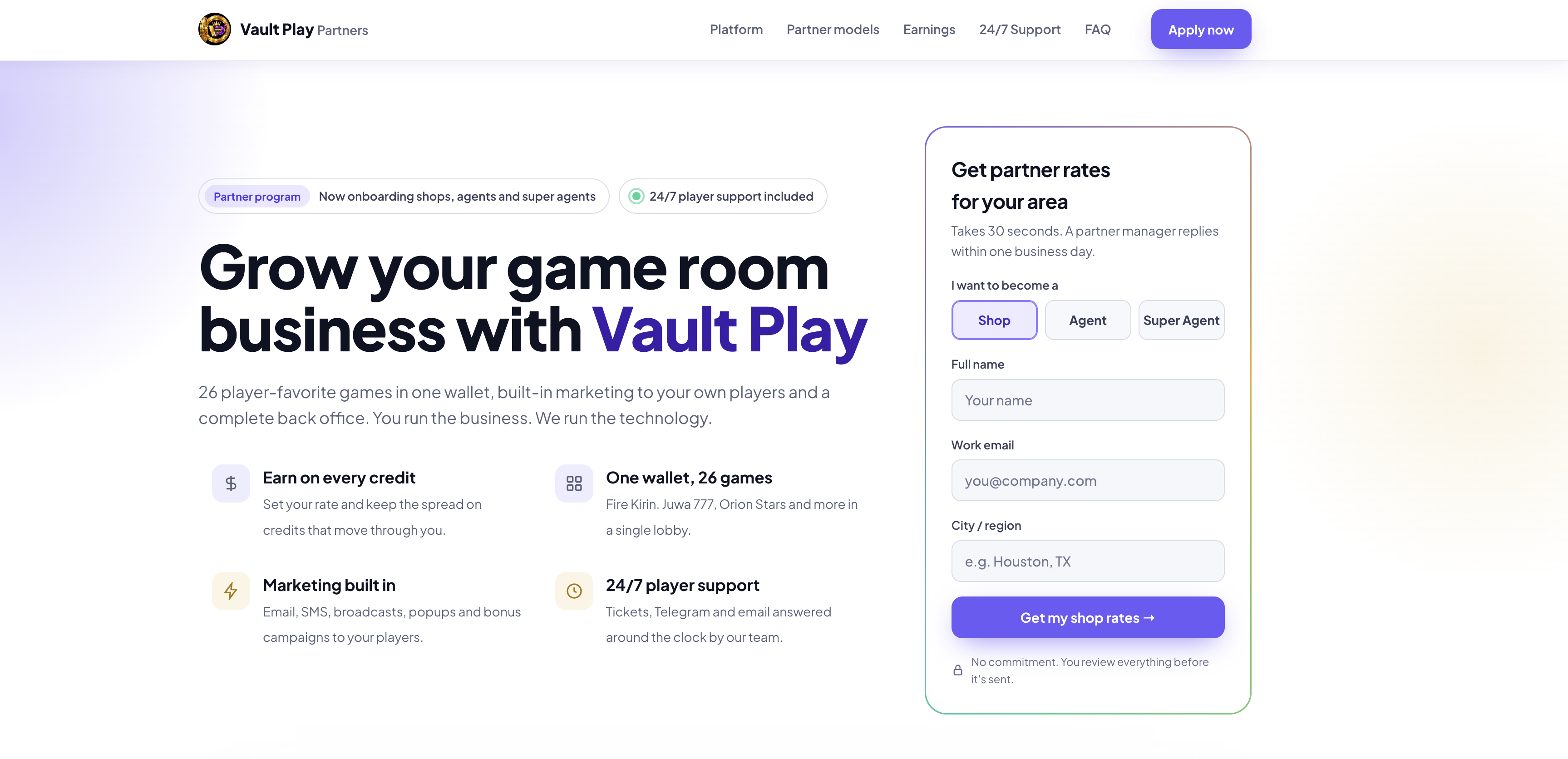
The top of the page says Vault Play is onboarding shops, agents, and super agents, and that player support is included around the clock.
| On the page | What it is for |
|---|---|
| Platform | A sample agent overview. Today, 7d, and 30d change the figures. The page says the figures are sample data |
| Partner models | Shop operator, Agent, or Super Agent. Each one says who it is for, what that partner manages, how they earn, and what the portal includes |
| Games | A reel of titles players already know. It says it is showing 16 of 26. Hover pauses the reel. View the player lobby opens the player app |
| Earnings | How credit moves from Vault Play to a super agent, an agent, a shop, and a player. Rates on this section are examples |
| 24/7 Support | In-app tickets, Telegram, email at support@vaultplay.co, Help in English and Spanish, and a transfer that returns to the wallet if it never starts |
| FAQ | Who can join, that a partner account is created by someone already in the network, how long setup takes, cash out, support, and local rules |
| Apply | The application |
A shop's marketing tools are described on the page: email, SMS, broadcasts, popups, deposit bonuses, and the shop's own player link. SMS on that card says it is available once US texting registration is complete.
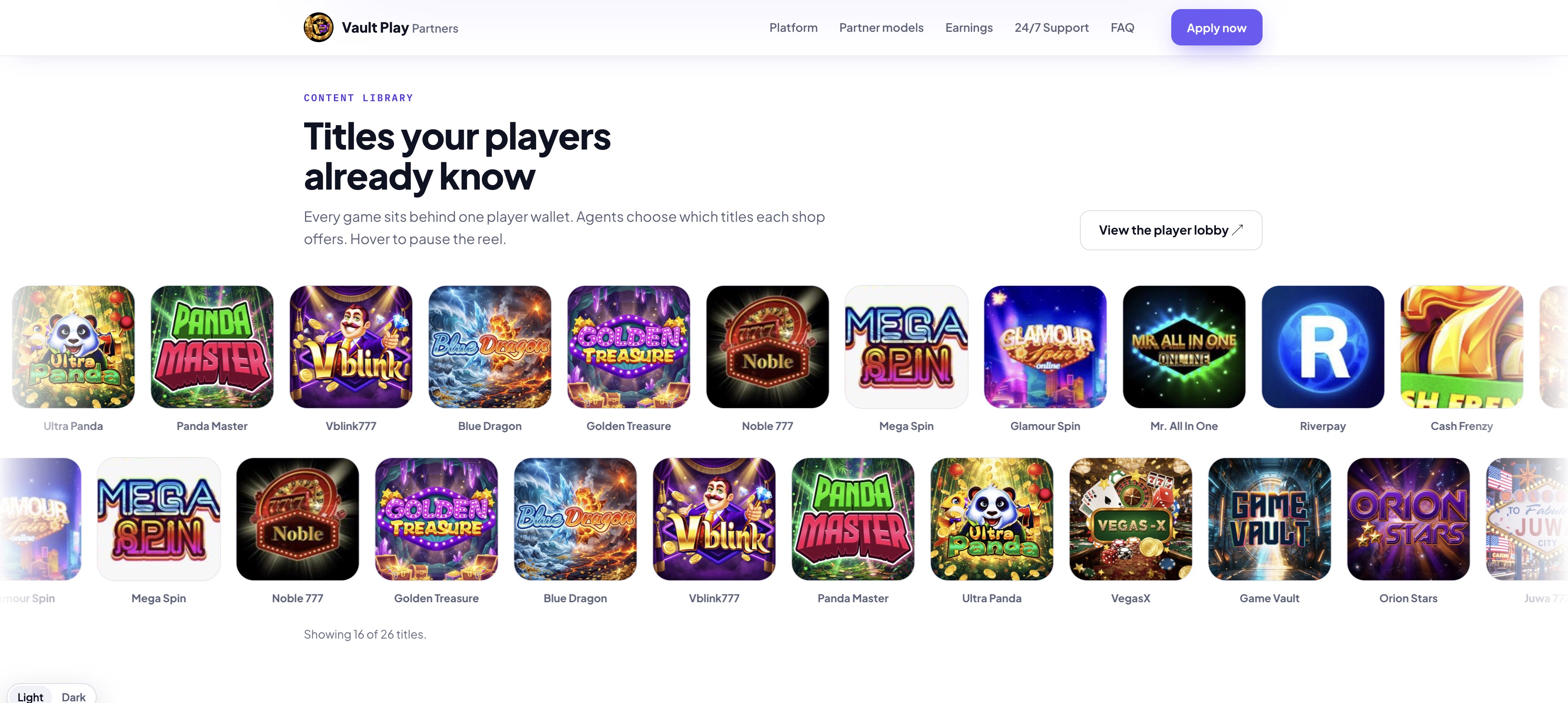
The footer says the figures, rates, and dashboard on the page are examples. They are not a promise of income.
Apply
Apply now, and Get my shop rates, open the application. A role chosen higher on the page is already selected on the form. Name, email, and city typed in the short card are already filled in.
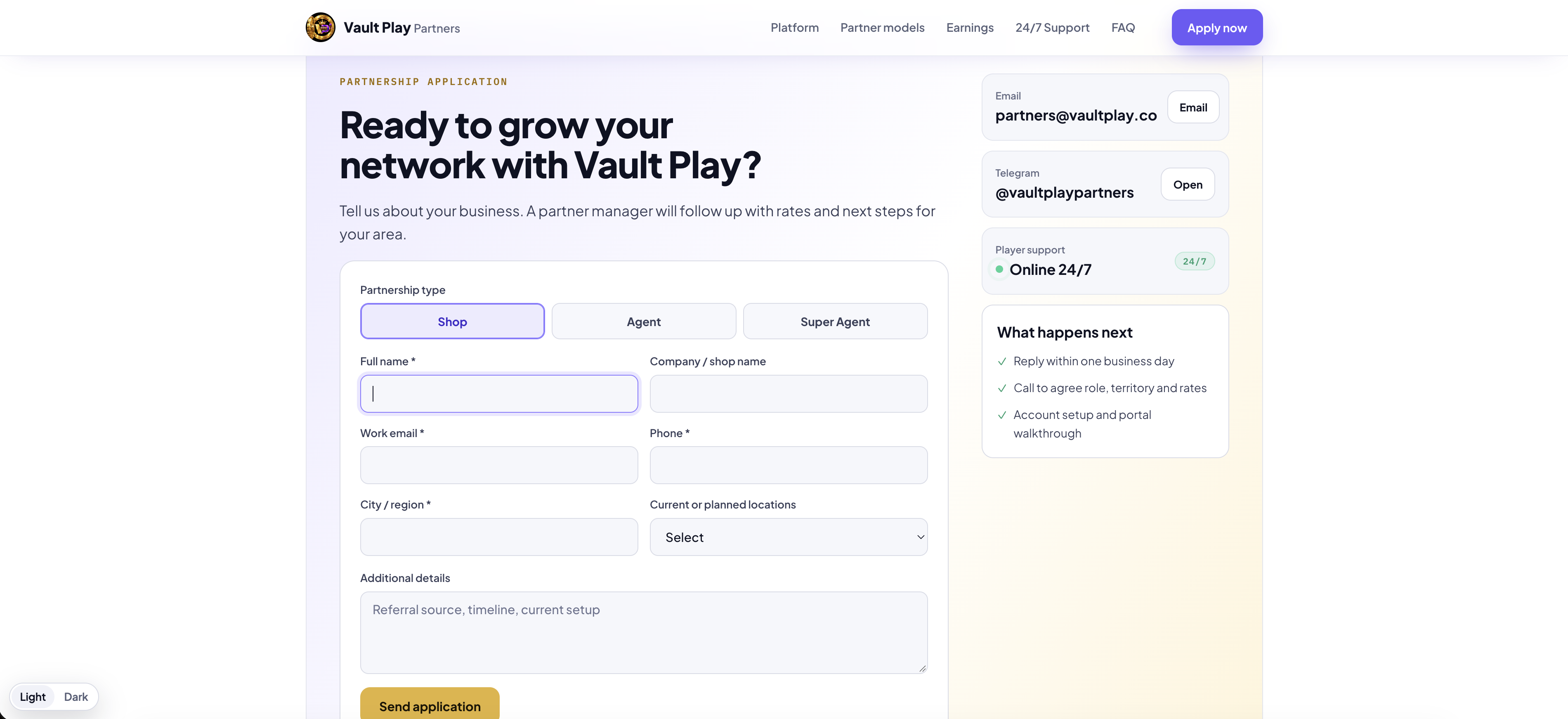
| Field | Required |
|---|---|
| Partnership type | Shop, Agent, or Super Agent. Shop is selected at the start |
| Full name | Yes |
| Company / shop name | No |
| Work email | Yes |
| Phone | Yes |
| City / region | Yes |
| Current or planned locations | No. The choices are Not yet operating, 1, 2–5, 6–20, and 20+ |
| Additional details | No. Up to 2,000 characters. The hint is referral source, timeline, current setup |
Send application confirms with Thank you, your application is on its way, and says a partner manager replies within one business day. Email and Telegram on the right are the partner contacts, when those are set. What happens next lists a reply within one business day, a call to agree role, territory, and rates, then account setup.
The application shows in Admin. It does not start a ticket the applicant can sign in to read.
Partner submissions
Partner submissions is in the Admin sidebar, for the same people who can open Support tickets. A red badge is the number of applications still Interested. Above 99 it reads 99+. The badge hides when that number is zero.
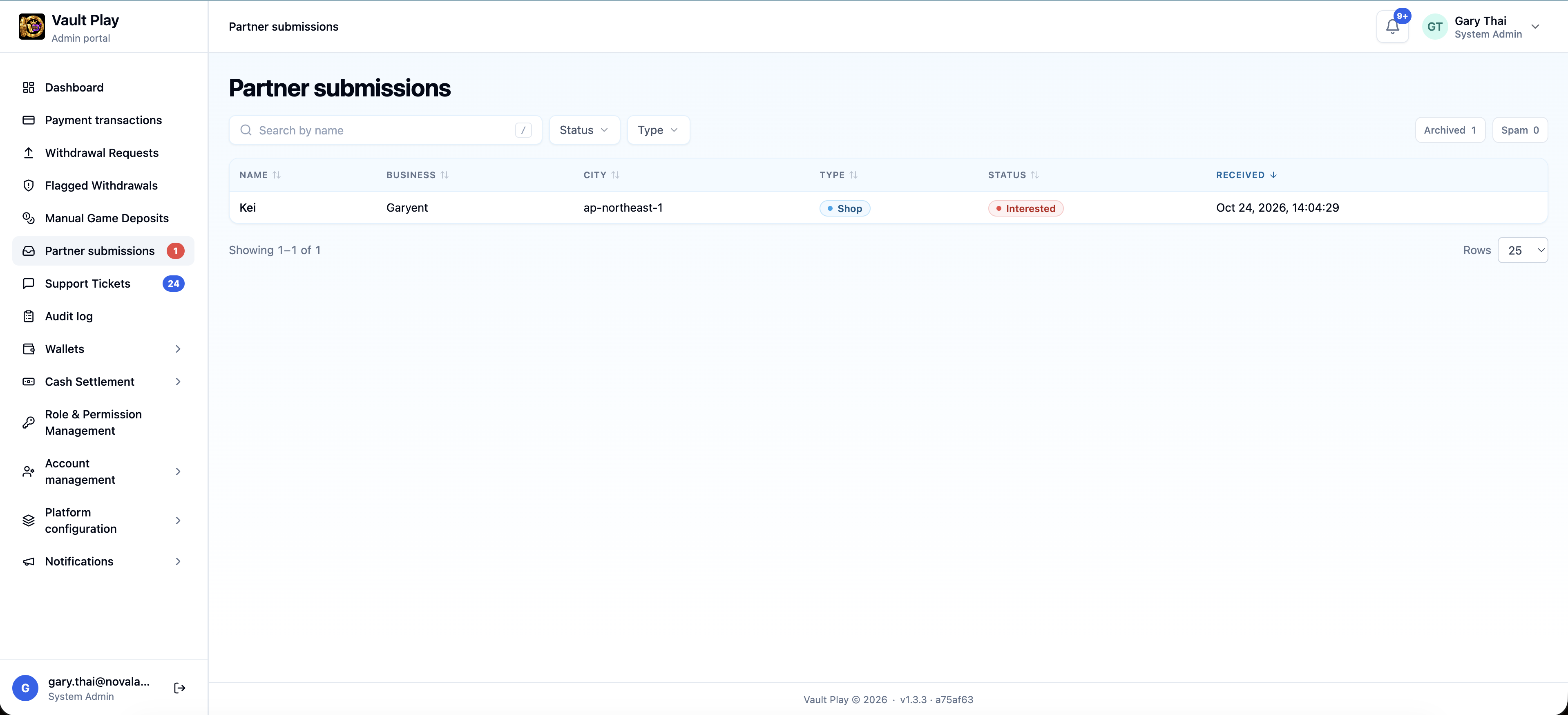
The list shows name, business, city, type, status, and when it arrived. Search is by name. Status filters Interested and Current. Type filters Shop, Agent, and Super Agent. Each column sorts. Archived and Spam are separate folders, each with a count. Rows are 25, 50, or 100.
Open a row for the application: status, partnership type, name, company, email, phone, city, locations, when it arrived, and the note.
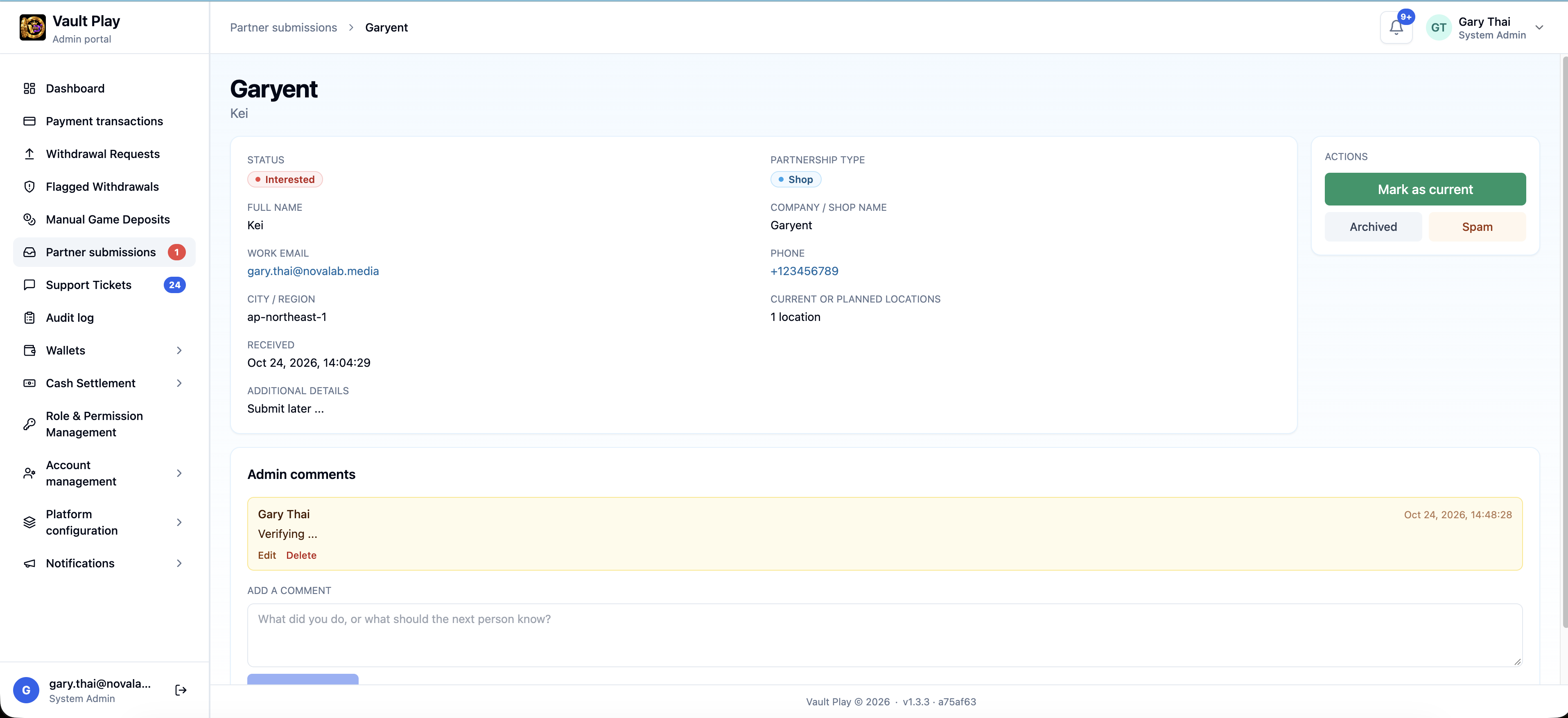
| Action | What it does |
|---|---|
| Mark as current | The shop is onboarded. The status turns green |
| Mark as interested | Puts it back with the new applications |
| Archived | Moves it to the Archived folder |
| Spam | Moves it to the Spam folder |
Admin comments are for staff. A comment is up to 2,000 characters. The author can edit or delete their own comment. Another staff member can read it. The applicant does not have an account on this page, so the comment is not sent to them.
Help
The Help answer I own a shop. How can I offer Vault Play? points to vaultplay.co/partners: the partner models, how the network works, and the form.
What to tell the team
Applications from the partners page are in Admin → Partner submissions. The red badge is how many are still Interested.
Follow up with the applicant yourself, by email or on Telegram. A comment on the submission is for the admin team.
A visitor chooses Shop, Agent, or Super Agent. The page says a partner manager replies within one business day.